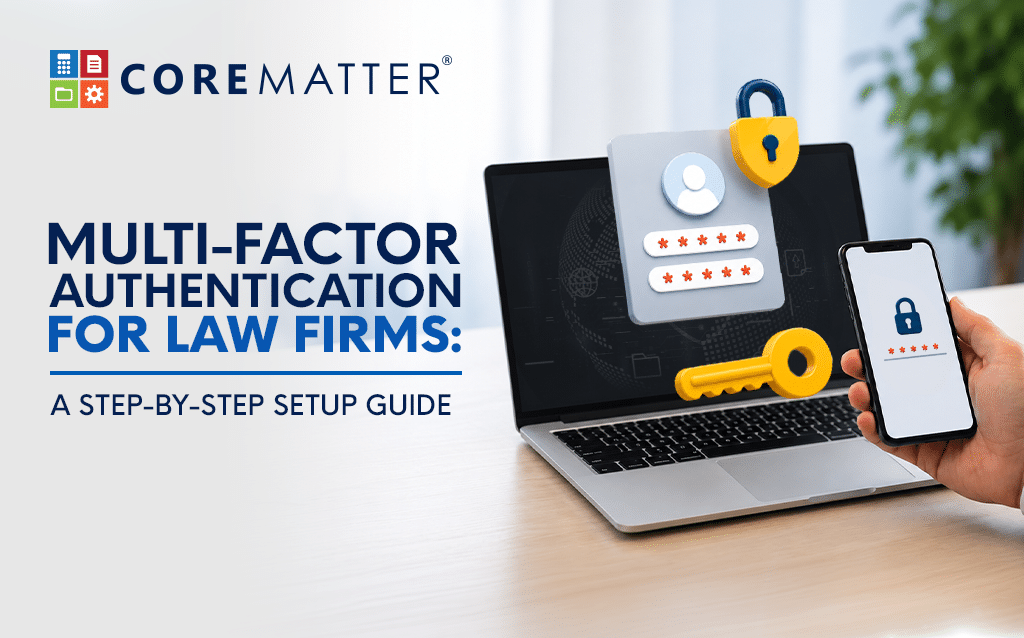
Multi-Factor Authentication for Law Firms: A Step-by-Step Setup Guide

Law firm cybersecurity has never been more critical. Multi-factor authentication (MFA), also called two-factor authentication (2FA), is now the single most effective protection law firms can deploy against phishing, credential theft, and account compromise. Scammers have become very good at looking legitimate, and the firms that stay safe are not always the ones with the priciest security tools. The real difference is taking action before a problem happens. This guide shows you exactly how to implement MFA in your practice this week.
Why Law Firm Cybersecurity Is at Risk
The email looks real. The login page looks real. Even an urgent message about a client settlement can seem genuine. Often, by the time someone on your team realizes something is off, the damage has already happened.
This is what modern phishing looks like. It copies your usual website, uses your bank’s logo, mimics your software vendor’s interface, and lands in your inbox just like a real email. A busy lawyer might easily miss a small difference in the web address. Most people are busy, trusting, and under the same time pressure as everyone else in a law firm. Attackers know this and design their scams to exploit it.
Law firms are a top target for attackers, not just for the obvious reasons. You hold confidential client records and manage trust accounts and billing instructions that can move large sums of money. There is also another risk: damage to your reputation. When a retail business has a breach, it loses data. When a law firm has a breach, it loses client trust, which is much harder to rebuild and can take years. This is what is really at risk if a partner’s login is compromised.
What a Law Firm Data Breach Looks Like
A law firm data breach often starts simply: a criminal creates a fake login page to capture your details, or reuses a password stolen from another site to access your account. A sophisticated phishing attack against a law firm can be almost impossible to spot; the fake login page looks completely normal. Attackers may also send an urgent email to trick someone into acting on payments too fast. Once inside, they can intercept settlement wires, change payment instructions, access sensitive client files, or quietly observe for weeks before deciding to act. The trust account security of your entire practice can be at risk from a single compromised login.
Why Passwords Alone Can’t Protect Your Law Firm
Password security for lawyers is a serious and growing challenge. Passwords by themselves are no longer enough. People often reuse them across different sites, and criminals exploit this with credential-stuffing attacks, where they try large lists of passwords stolen from other breaches against your accounts. Fake login pages can collect passwords and sometimes look exactly like the real thing. Even SMS-based two-factor codes can be intercepted through SIM swapping (where attackers port your phone number to their device to receive your verification codes) or through phishing. Relying on passwords alone leaves your practice management software security far too exposed.
Multi-Factor Authentication for Law Firms: What It Does
Multi-factor authentication, especially with an authenticator app or a hardware security key instead of SMS, blocks these attacks from the start. Even if an attacker has your password, they cannot get in without a second factor, which they almost never have. For most attacks on law firms today, this is where attempts fail. The attacker does not give up, but they simply cannot get through.
It’s the most practical, high-return security step most firms can take right now, this week, without a large IT budget or a lengthy procurement process.
How to Roll Out MFA in Your Law Firm: Step by Step
You do not have to set up MFA for everyone at once. In fact, it is better to do it step by step. Here is a sequence that works for most firms:
- Begin with your highest-risk accounts: partners, finance staff, billing administrators, and anyone with access to trust accounts. These accounts could cause the most harm if compromised, so protect them first. Make MFA required for these users right away. In CoreMatter’s Administrator panel, you can enable MFA and configure it per user individually, so you can protect high-risk accounts immediately without disrupting the rest of the firm.
- Use stronger second factors wherever possible. CoreMatter supports any authenticator app (Google Authenticator or Authy are both excellent options). Users simply scan a QR code in CoreMatter’s security settings to link their account; the process takes less than 5 minutes. These authenticator apps are significantly safer than SMS codes and are the recommended choice for anyone in a privileged role.
- If your firm uses a central login system like Microsoft 365 or Google Workspace to access multiple tools, turn on MFA there as well. This will automatically protect everything else connected to it.
- Roll out MFA to the rest of the firm in phases and ensure support is available. Do not turn it on for everyone at once, especially not at the end of the week. Provide staff with simple, clear guides and a point of contact for assistance. Aim to have everyone enrolled within three to four weeks. If you rush and leave people without help, they might find ways around the system, which defeats the purpose.
- Update your account recovery process before you need it. In CoreMatter, account recovery can be done by email, and password resets are handled internally. Only the Administrator can start a reset or set an account as active or inactive. This central control is a strength, but it also means your Administrator must be reachable in a recovery situation. Make sure the process is documented so you don’t have to figure it out late at night if something goes wrong.
- Check who has access to each system. MFA helps limit damage if credentials are stolen, but you can reduce risk even further by ensuring each person has access only to what they need. Take an hour to review user roles in CoreMatter and make sure access levels match people’s real jobs.
- Show your staff what the new scams look like. It’s not enough to have written policies on the wall or best practices sent via email; your staff will need to understand how attacks really work. Set a time to walk them through real examples, such as a fake Microsoft login page, an urgent wire transfer request, or a DocuSign notification that leads to the wrong place. Teach people to pause, use saved bookmarks instead of clicking email links, and report anything suspicious without worrying about looking paranoid.
- Make it a practice to regularly check your sign-in logs. Check the reports for any unusual devices, unfamiliar locations, or access at odd times. Set a note to check these logins regularly. If you spot irregularities, take action by tightening the security.
- Organize a short response drill with your team to equip them with the right knowledge. Ask them to think about what they would do if they believed their account was compromised right now: who would they call and what would be the first step? Knowing these answers ahead of time makes a real difference if something actually happens. Keep the drill brief; fifteen minutes is enough to cover the basics.
Why Law Firms Can’t Wait on MFA
You do not need a large team, a big budget, or months of planning to do this. You just need to decide that this week is the right time. Attackers are not waiting for a better moment. Phishing campaigns against professional services firms happen all the time, and they are getting more convincing and harder to spot, especially when you are busy.
CoreMatter is built with legal practice management software security in mind. CoreMatter’s audit trail, encrypted storage, and daily backups provide a strong foundation, and CoreMatter’s voucher approvals add an additional layer of financial control. But MFA is what protects your main entry point. Without it, a single stolen password can undermine all the other protections. Together, CoreMatter’s built-in safeguards combined with MFA give your firm a genuinely layered defense.
Contact CoreMatter Today
The firms that avoid breaches this year will not always be the biggest or best-funded. They are the ones where someone decided, on an ordinary Tuesday, that this was worth doing right away.
If you want help setting up MFA for CoreMatter, the CoreMatter team can guide you through the settings, rollout steps, and recovery process. Book a security walkthrough and get it done this week.